
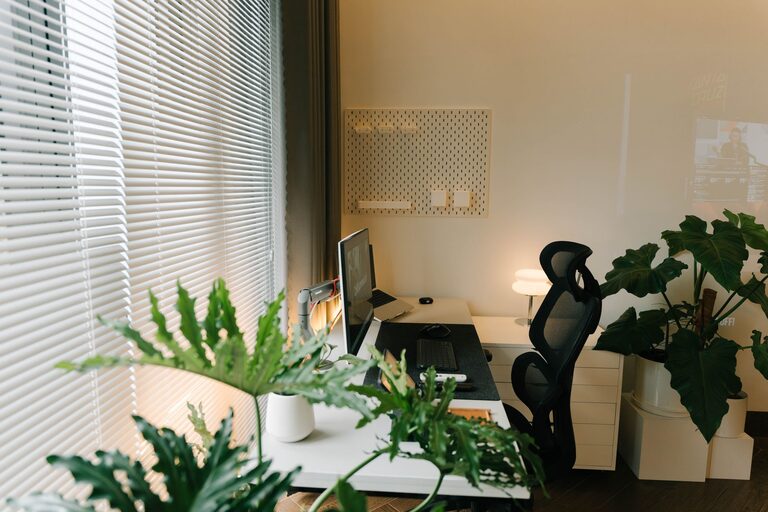
Creating a home workspace that feels relaxing yet productive can make a significant difference in how you work and how you feel throughout the day. With more people working remotely or spending time on personal projects at home, it’s essential to balance efficiency with comfort.
In this post, we’ll explore practical tips to design a home workspace that helps you stay focused, reduces stress, and supports your well-being.
Why a Relaxing Workspace Matters
Your environment impacts your mindset, energy, and productivity. A cluttered, noisy, or uncomfortable area can increase stress and lower your motivation. On the other hand, a thoughtfully designed workspace promotes calmness, creativity, and concentration.
By creating a space that feels welcoming and tailored to your needs, you can:
– Boost productivity and focus
– Improve your mood and reduce anxiety
– Prevent burnout and physical strain
– Enjoy a better work-life balance at home
Choose the Right Location in Your Home
Start by selecting a spot that suits your work style and daily routine:
– Natural Light: Choose a place with plenty of natural light if possible. It supports alertness and enhances mood. Position your desk near a window but avoid glare on your screen.
– Quiet Area: Find a low-traffic area where you can concentrate without frequent interruptions or loud noises.
– Privacy: If possible, opt for a space where you can close a door or use room dividers to create visual separation from household distractions.
Invest in Comfortable and Functional Furniture
Your furniture plays a key role in comfort and productivity:
– Ergonomic Chair: Select a chair that supports your back and encourages good posture. Adjustable options provide extra flexibility.
– Appropriate Desk Height: Ensure your desk height allows your arms to rest comfortably without strain.
– Desk Size: Choose a desk big enough to accommodate your computer, documents, and any other tools you regularly need.
– Storage Solutions: Use shelves, drawers, or organizers to keep essentials within reach but out of the way, reducing clutter.
Keep Your Workspace Organized and Clutter-Free
A tidy workspace helps clear your mind:
– Regular Decluttering: Spend a few minutes at the end of each day putting away papers, pens, and other items.
– Minimal Decor: Limit decorations to a few meaningful or calming items to avoid distraction.
– Cable Management: Use clips, ties, or under-desk trays to manage wires neatly.
– Digital Organization: Keep your computer desktop and files well organized to avoid digital clutter.
Add Calming Elements to Enhance Relaxation
Incorporating soothing touches encourages a relaxed state:
– Plants: Greenery can reduce stress and improve air quality. Choose low-maintenance plants like succulents or pothos.
– Soft Lighting: Use adjustable desk lamps or warm light bulbs instead of harsh overhead lights.
– Personal Touches: Add photos, artwork, or objects that inspire and calm you without overcrowding the space.
– Aroma: Consider a mild essential oil diffuser or scented candles to create a pleasant atmosphere.
Manage Noise and Minimize Distractions
Sound control can improve focus dramatically:
– Noise-Canceling Headphones: Useful if your environment has background noise.
– White Noise or Soft Music: Play gentle instrumental music or white noise to mask distracting sounds.
– Set Boundaries: Communicate your work hours with family or housemates to limit interruptions.
Incorporate Movement and Break Areas
Avoid sitting too long at your desk:
– Stretching Space: Make room nearby for brief stretching or light exercises.
– Break Zone: If possible, have a separate area for coffee breaks or relaxation to recharge mentally.
– Standing Desk Options: Consider a sit-stand desk or adjustable workstation to vary your posture during the day.
Use Technology Wisely
Technology can support your well-being and work efficiency:
– Blue Light Filters: Use software or glasses to reduce eye strain caused by screens.
– Task Management Apps: Tools like calendars, to-do lists, or timers help keep you organized without stress.
– Ergonomic Accessories: A good keyboard and mouse can reduce hand and wrist strain.
Establish Routines and Boundaries
Your behavior shapes how productive and relaxed you feel:
– Consistent Schedule: Try to start and stop work at regular times to maintain balance.
– Designated Work Attire: Changing into “work clothes” can help mentally transition into work mode.
– Regular Breaks: Take short breaks every hour to rest your eyes and move your body.
– End-of-Day Ritual: Develop a routine to signal the end of work, such as tidying your desk or shutting down your computer.
Final Thoughts
Creating a relaxing home workspace is not about perfection; it’s about making your space work for you. Experiment with different setups, lighting, and organization methods until you find what helps you feel calm, comfortable, and motivated. Small changes can lead to big improvements in your productivity and well-being.
By prioritizing comfort, minimizing distractions, and setting clear boundaries, you can turn your home workspace into a place where work feels less stressful and more enjoyable.
Start today, and enjoy the benefits of a balanced and inviting workspace that supports your best work!